Toolmio
  • Combine images
  • Split image
  • Compress image
  • Convert image
  • Background remover
  • Watermark remover
  • Pricing
Loading your usage…
Simple tools. All on your device.

Convert image

Convert one image or a batch between JPG, PNG and WebP. Apply one output format, preview each result and download individual files or a ZIP. Images stay on your device.

  • On-device editing. Images stay here.
  • Loading your usage…
  • JPG, PNG, WebP · Up to 20 MiB/image
Limits & common questions

Drop images to convert

JPG, PNG or WebP · Up to 30 images · 20 MiB each · 100 MiB total

or paste images from your clipboard
THE FORMAT YOUR NEXT STEP NEEDS

Your images, ready in the format you need.

Need JPGs for a form, transparent PNGs for a design, or WebPs for a website? Convert a batch to one format, then download the results together.

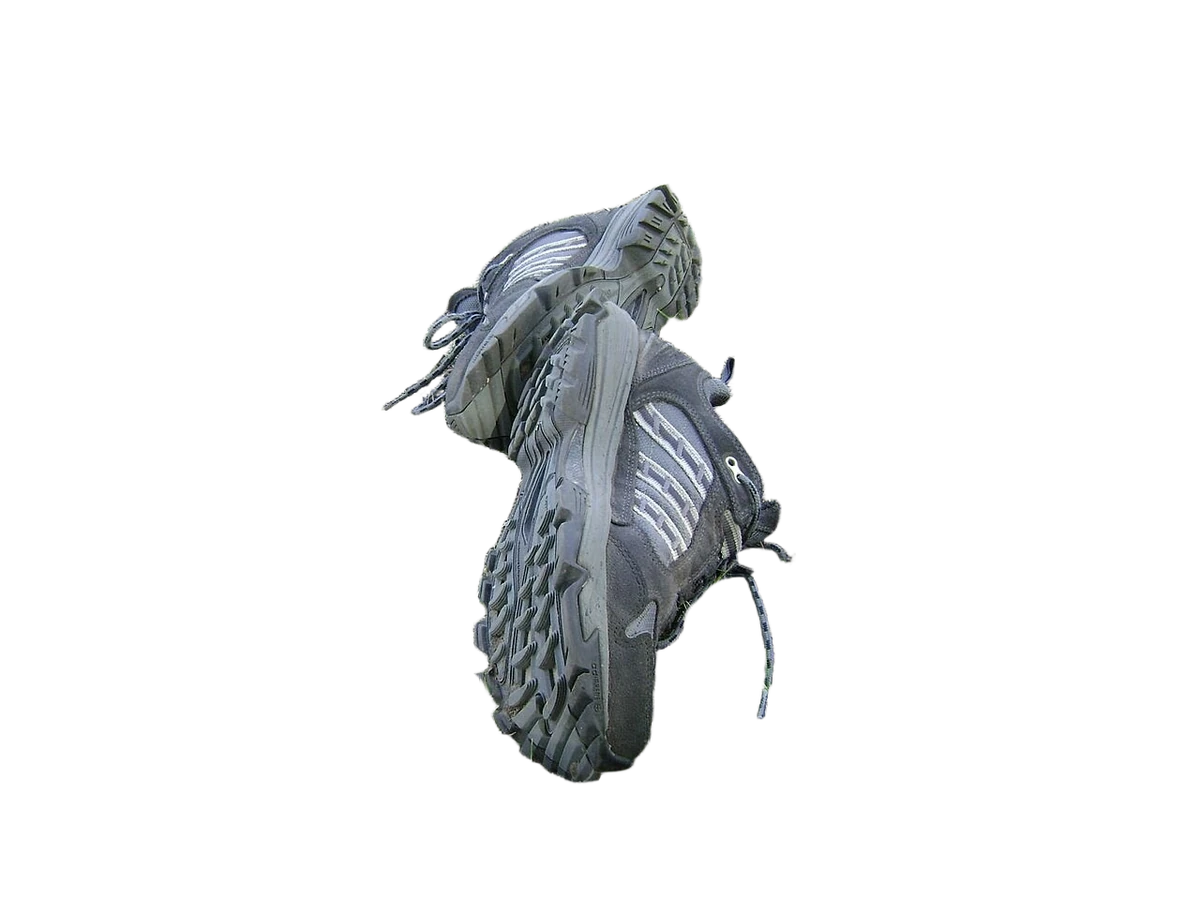
A product image with a transparent background
Format guide · Converting an image does not remove its background
JPG
For photos and upload forms. Uses a solid background.
PNG
Lossless encoding that preserves existing transparency.
WebP
For web images, with transparency where supported.
Convert your own imageExplore the options, then try your own image above
KEEP CONTROL OF THE FINISH

Choose the format. Check the background.

Convert between JPG, PNG and supported WebP without changing the image dimensions. Keep existing transparency with PNG or WebP, or choose a background color when saving a JPG.

  • Preserve the original width and height
  • Keep existing transparency with PNG and WebP
  • Choose a background color for transparent areas in JPG
  • Preview each result and download the batch in one ZIP
From source to a ready-to-use file
  1. 01Choose a format and background
  2. 02Process the batch, then check each preview and file size
  3. 03Download a single image or all completed results in a ZIP

Processed in your browser. Your image stays on your device.

Example image credits & licenses
  • Shoes 001 — Albert Jankowski (Albertyanks), Public domain. Before: actual benchmark input photograph. After: actual background-removal result. Both resized proportionally to at most 1200 pixels and encoded as WebP; full frame retained, no crop, transparent alpha preserved in the result. Derivative images retain the stated source license.
MADE FOR YOUR EVERYDAY IMAGES

A useful result. A real reason to make it.

Start with the task you have in mind. See how each image can become something ready to use.

FILES FOR YOUR NEXT UPLOAD

Choose the format your next step needs.

Convert a batch of JPG, PNG, or WebP images into one format accepted by your editor, upload form, or presentation. Check each result, then save them individually or as a ZIP.

  • Choose JPG, PNG, or WebP where browser encoding is supported
  • Your source image stays on your device

Choose a new image format
Travel photo that can be saved in another format
JPGPNGWebP

Output-format choices for a photograph. Converting formats does not always make a file smaller.

LOGOS & TRANSPARENT DESIGN ASSETS

Keep transparency, or give it a background.

Save an already transparent image as PNG or WebP to keep its clear areas. Choose JPG when you need a solid background, and pick the color to fill those areas.

  • PNG and WebP can retain existing transparency
  • JPG fills transparent areas with your chosen color
Convert a transparent image
Product cutout with a transparent background
PNG / WebP · Transparent
The same product cutout on a white background
JPG · Background color

Format illustration using an existing cutout: transparency on the left, a white JPG background on the right.

Use-case image credits & licenses
  • Shoes 001 — Albert Jankowski (Albertyanks), Public domain. Before: actual benchmark input photograph. After: actual background-removal result. Both resized proportionally to at most 1200 pixels and encoded as WebP; full frame retained, no crop, transparent alpha preserved in the result. Derivative images retain the stated source license.
  • Santorini (39171196742) — Mustang Joe, CC0. Downloaded original Wikimedia Commons photograph. Cropped to 4:3 (centre alignment), resized to 1200×900 and converted to WebP. Source colors retained; no AI generation or retouching. The stated source license also applies to this cropped derivative.
How it works

The right format in three steps.

  1. 01

    Add your images

    Choose or drop one or more static JPG, PNG or WebP images from your device.

  2. 02

    Choose your format

    Choose one output format for the batch: PNG for screenshots and transparency, or JPG or WebP for photos. Set a background color when converting transparency to JPG.

  3. 03

    Save your converted images

    Preview each result and check its dimensions and file size. Retry failed images individually, then sign in to download a single file or all completed results in a ZIP.

CUSTOMER STORIES · SAMPLE PREVIEW

The format your next step needs.

Prepare JPG, PNG or WebP files for different destinations, with a preview before each download.

These people and reviews are fictional examples. Portraits are AI-generated. This is not verified customer feedback.

Example review

A publishing form needed a JPG, but my artwork was a PNG. Choosing JPG and checking the background color gave me the version I needed without redoing the artwork.

Maya ThompsonPodcast producer

Image format conversion

Example review

I converted a PNG illustration to WebP in a browser that supports it. The preview and file size let me check the output before adding it to the site assets.

Leon FischerFrontend developer

Image format conversion

Example review

I needed a transparent PNG from a WebP asset. Converting it and checking the transparent areas in the preview helped me prepare a file for the next design app.

Nadia El AmraniBrand illustrator

Image format conversion

Example review

When turning a transparent logo into JPG, I could choose the background color first. Seeing that filled background before downloading made the result easier to check.

Arjun MehtaRestaurant menu designer

Image format conversion

Example review

I converted a JPG to PNG for a layout handoff. The size readout made it clear that the PNG was larger, so I knew exactly which file I was sending along.

Elena RossiMuseum communications assistant

Image format conversion

Example review

Converting a WebP screenshot to PNG let me prepare it for our documentation workflow. Renaming the output before downloading also kept it easy to find among my other screenshots.

Caleb MorganTechnical documentation writer

Image format conversion

Frequently asked questions

Are my images uploaded?

Your images are processed in this browser and are not uploaded. Sign-in and export allowance checks do not send your images. Download your results before switching tools, refreshing or closing this page.

Which formats can I use?

Import static JPG, PNG and WebP images. Export PNG for transparency or screenshots, or choose JPG or WebP for photos. Animated images are not supported.

Do I need an account?

You can edit and preview without an account. Sign in for one free export per day shared across combine, split, compress and convert, or subscribe for unlimited local exports. Each single-image download or complete ZIP download counts as one export. Local processing does not use cloud credits.

Does converting an image change its quality?

PNG preserves the decoded pixels when dimensions stay the same. JPG and WebP use lossy encoding with adjustable quality. Converting a JPG to PNG does not restore detail already lost, and a different format can produce a larger file.

What happens to transparency and metadata?

PNG and WebP support transparency. JPG replaces transparent areas with the background color you choose. Re-encoded exports apply the displayed orientation and remove original EXIF metadata. When compression keeps the original file because encoding did not make it smaller, its original metadata is retained.

What are the current limits?

Add up to 30 static JPG, PNG or WebP images, with a combined source size of 100 MiB. Each image can be up to 20 MiB and 32 megapixels, with a maximum edge of 16384 pixels. Images are processed one at a time using the same settings. Completed results and ZIP downloads are limited to 256 MiB. Animated images are not supported. Download your results before leaving this page.

READY WHEN YOU ARE

Get the format your next step needs.

Choose JPG, PNG, or WebP, preview the result, and download it locally.

Convert your image

More ways to work with your images

Compress an imageReduce file size with simple compression presets.Remove a backgroundPrepare a transparent cutout or a white-background image.
One free local export daily. No watermark.
How it worksAboutContactPrivacyUsage notes